
Go to Reports > Assignment reports > Assignment equity.
This report provides a mean to check that equity objectives are reached for each staff member on a role by role basis.
Note that this report requires a lot of processing by Momentum and as a result its generation may take some time.
Momentum compares for each staff member the number of actual assignments and points for the selected date range against the target points based on the staff member candidacies. Large differences will be displayed in red in the Equity scores column.
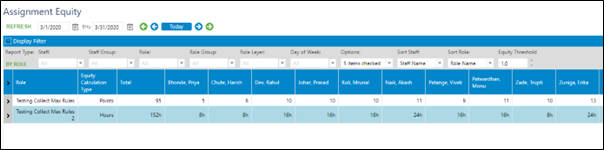
You can use Equity threshold filter to determine the limit beyond which to display a staff member in red.