Go to Setup > Calendar Setup > Prime Date
Next to Year choose This Year
Click on the prime date needing copied
Next to Copy To choose Next Year
Click on Copy
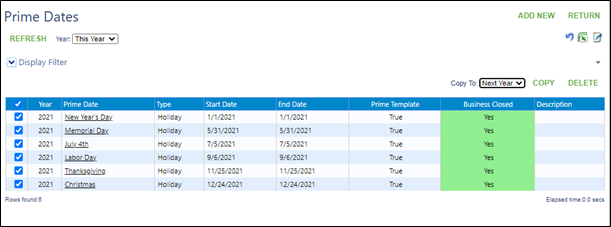
Next to Year choose Next Year
Click on Refresh
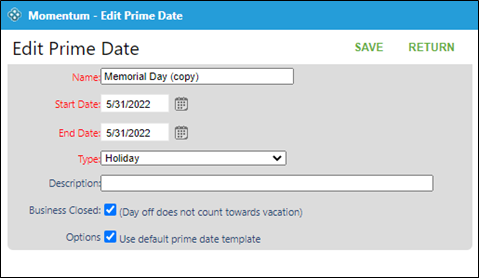
Click on each of the new dates to edit name and date if applicable
Click on Save