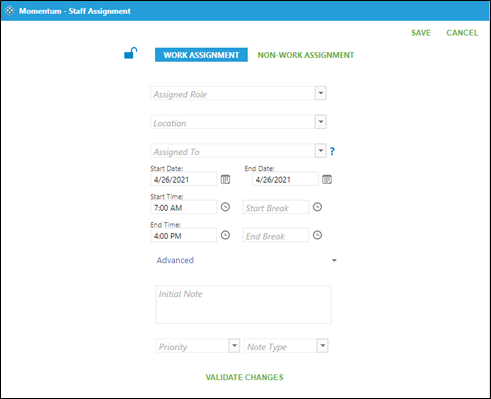
Go to Scheduling > Edit Schedule > Date View (or Month View)
Click on the green plus sign on the date required.

Choose either Work Assignment or Non-Work Assignment.
Click on drop down arrow under Assigned Role and either scroll or type name to find required assignment.
Click on drop down arrow under Assigned To and either scroll or type name to find required staff.
Choose Start Date and End Date. Defaults to the day that was initially chosen.
Choose Start Time, End Time, Start Break, and End Break as needed.
To lock click on the blue open lock icon in the upper left corner.
Click on Save.