Go to Setup > Calendar Setup > Prime Date
Click on Add New
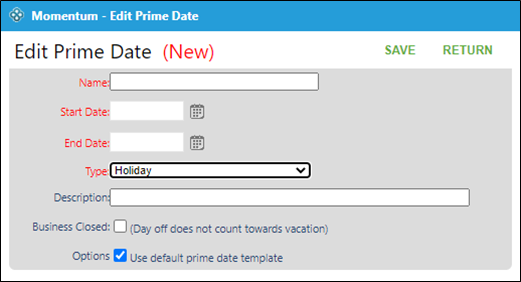
Enter name to show on schedule
Enter start and end date (same if only one day)
Choose the type of day:
School break
Day before long weekend
Day after long weekend
Day adjacent to long weekend
Holiday
Office closed
Choose whether the business is closed that day (if chosen any vacations on that day will not be counted as a vacation day)
Under option if checked the demand template for prime dates will be used (in the case of holidays only the required roles for holidays will be used)
Click on Save