
Role groups are used for a variety of functions, including rules and filtering. Roles can be part of numerous role groups.
Go to Setup > Role setup > Role groups
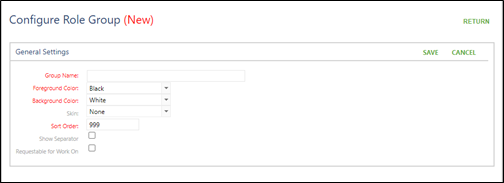
Click on Add Group.
Add Group name.
Choose colors if needed.
Choose sort order.
If the role group will be used for requesting work on/don’t work on roles click in the box next to Requestable for Work On.
Click on Save.
Click on the drop down next to Add
Choose all roles needing to be added
Click on Add