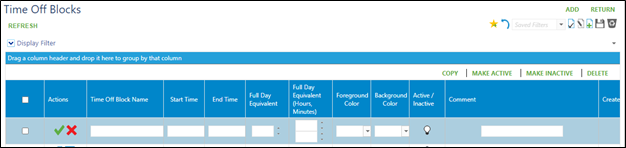
Go to Setup > Calendar setup > Time off blocks
Click on Add in the upper right corner.
Enter a name for the block.
Add start time and end time for the block.
Add full day equivalent (1 for full day, .5 for half day, ect).
Add full day equivalent (hours, minutes) for hours counting (8 hour for an 8 hour full day, 4 hours for .5 half day, ect).
Mark as Active.
Add any comments as needed.
Click on green check mark to save.