
About Hours Count
The Hours Count report displays worked hourly roles, time off roles, and clocking against hourly contract terms set in the staff contracts.
Note: this report may load a lot of data, depending on filter settings, so it can take a while to run.
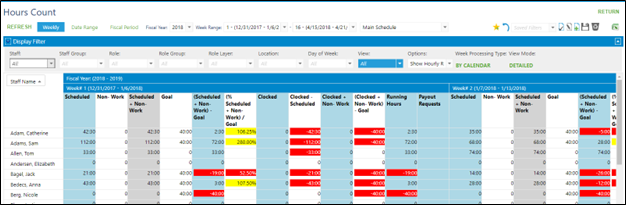
Hours Count Filtering
The Hours Count report has multiple options for filtering by time frame. In the fiscal period option, the fiscal year is based on fiscal year setup in Business Setup.

Weekly – This option displays Fiscal Year choices and weekly options within the fiscal year
Date Range – This option will display start and end dates icons to manually set a date range for the report
Fiscal Periods – This option will display Fiscal Year and Fiscal Periods to choose within the fiscal year
Note: if no fiscal periods have been setup in the site, no options will appear under fiscal periods.
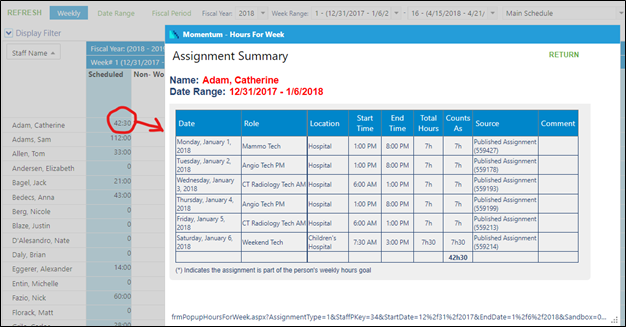
Click on any total to display a popup window with the details behind the total.
The display filter for the Hours Count report contains the following drop-down options for setting up views:
Staff – Choose specific staff or leave all unchecked for all staff
Staff Group – Choose specific staff groups or leave unchecked for all staff groups
View - variety of details
Options – variety of details
The display filter also contains other options on the pop-up.
Left Side:
Week Processing Type – Choose By Fiscal Year or Calendar time frame
View Mode – Choose Detailed to see header list chosen time frame or Totals to hid time frame