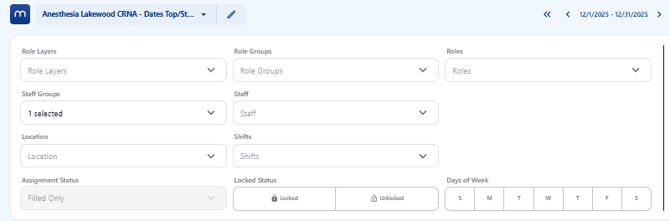
Click on the pencil Filter icon to expand the filter options.


On the left side: role layer, role groups, roles, staff groups, staff, location, and shifts are available.
Additionally, choices for all assignments, filled only, and unfilled are available. Lock status and days of the week can be chosen.
On the right side: display settings, view options, layout, colors, validation, grouping and display are available.
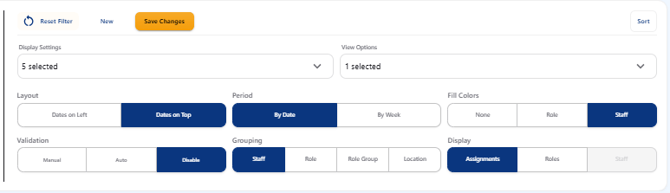
To save a current filter click on the Save Changes icon on the right side.
To save a new filter click on the New icon to the left of Save Changes.
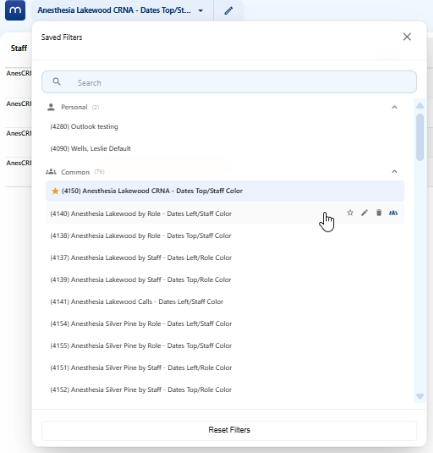
To save a common filter as a personal filter click on the Person icon to the right of the filter.
To edit the name click on the pencil icon.
To make default filter click on the star icon.
To delete click on the trash can icon.