There are new options for formatting the schedule views. These icons are located in the lower right side of the page.
Grid Settings:
This popup allows users to set and save 1st column width, column width, and to show more than one assignment per row. It will allow anywhere from one to four assignments per row with this button.
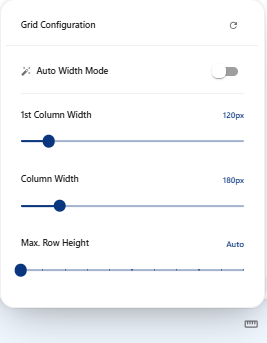
These settings can be saved in a filter.
Decrease Column Width:
Decreases width of each column down to 50px.
Increase Column Width: Increases with by 100px
This does not persist when changing pages or logging out and cannot be saved in a filter.