Skip to content
English
  • There are no suggestions because the search field is empty.

New Shift View - Filter Setup

Once required time off blocks have been created and roles are updated with shifts filters can then be updated to view schedules via shift view. 

Go to Scheduling < View Schedule < Date View (new)

US shift go to new date view

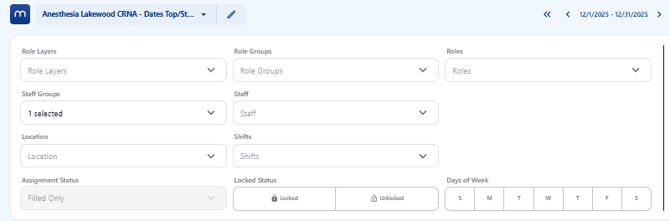
Click on the circular filter icon to expand the filter options. 

US shift open filter


US shift open filter 2

Expand the Shifts menu and click on each of the time off blocks required for the shift view. 
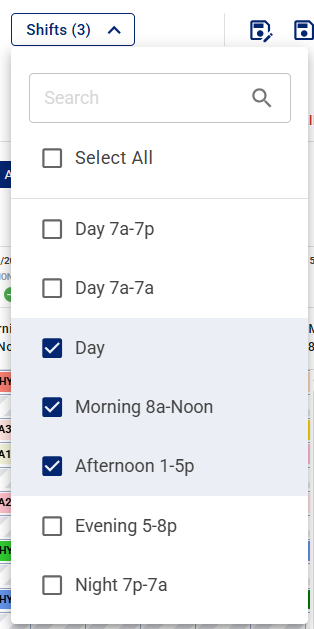
US shift shift select

Click on New Filter (on the left) to create a new shift view filter or click on Save (on the right) to save the current filter for shift view. 

US shift view save filter

Once saved the schedule will show each day split into shifts. 
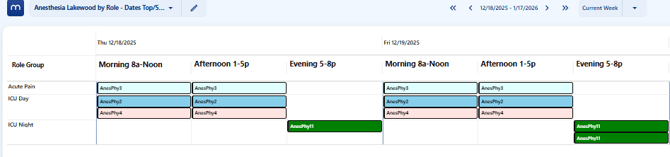
US shift shift view schedule