Go to Scheduling, Month View and choose My schedule filter.
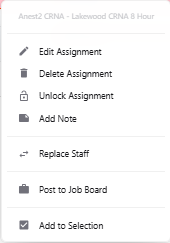
Right click on the assignment to post to job board.
On the pop-up menu choose Post to Job Board.
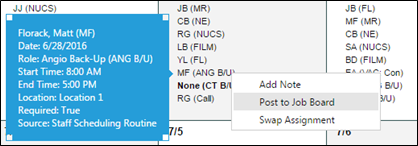
The job posting can include a comment so add note as needed.
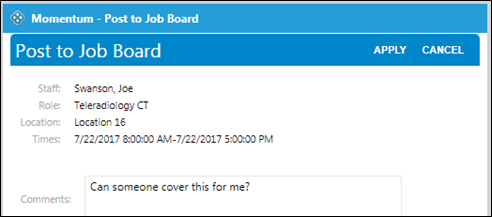
Click on Apply.
Posting a job triggers a notification to all candidates for the posted role.
Note - If no one submits a bid to cover the shift, the original staff member remains scheduled to work it.
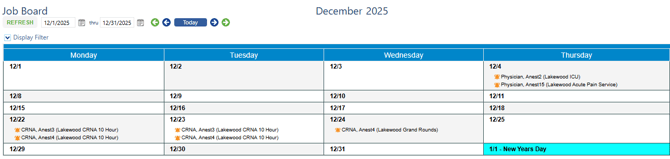
Staff members can also view all of the available Job Board assignments via the Job Board page under the Staff Requests menu.
The page shows the user’s current schedule along with any assignments that have been posted to the Job Board.
Assignments can also be posted via the new date view. Simply right click on the assignment and click on Post to Job Board.