Go to Scheduling > Edit Schedule > Date View (or Month View)
Click on the assignment and open the assignment pop-up.
Click on History Log tab.
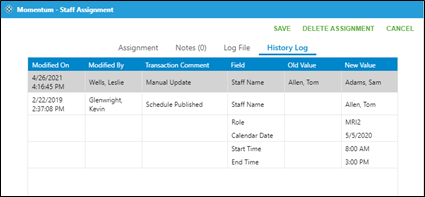
The history log lists all manual updates to an assignment.

Go to Scheduling > Edit Schedule > Date View (or Month View)
Click on the assignment and open the assignment pop-up.
Click on History Log tab.
The history log lists all manual updates to an assignment.