
Go to Setup > System Security > Configure Security Groups
Click on the security group needing the new time off role.
Click on Time Off Types in the left navigation.
Click on the role on the left window needing added to highlight (hold control key to highlight more than one).
Click on the Top right facing arrow to move the new role/s to the right side of the screen.
Click on Save.
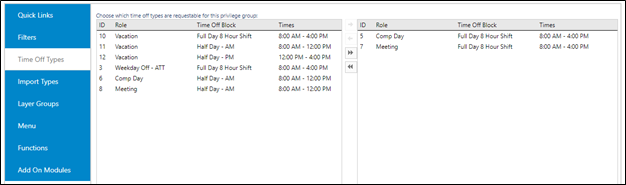
Note – Roles on the right side are active for the group. Roles on the left are not active for the group.